What’s new in search in Office 365

SharePoint now serves up search results personalized to your previous activity and permissions.

In SharePoint Online and on office.com, search is personal, and the search results are even easier to explore. Another user will see different results than you, even when you both search for the same words.

You’ll only see results that you already have access to, and other users can’t find your private documents.

Even before you start typing, you’ll see results based on your previous activity in Office 365. The results update as you start typing.

If these results aren’t what you’re looking for, click the link to see more results or press Enter to open the search results page and see and explore all the results. Here’s an example of search results from SharePoint:

Explore the search results to see more details about the people and files you’ve found, or refine your search to get other results. Here’s an expert tip to quickly see more, or less, details of a result – you can actually click anywhere in the empty space of the result.

You can navigate to locations that you want to explore further and, if you’ve searched in SharePoint Online, you can change where the results come from. For example, if you searched from a site, but really meant to search all of SharePoint, then you’re just one click away. Or, if the site you searched from is associated with another site, but you want to search all the associated sites.

When you exit a search results page, you return to the page where you started your search.

Microsoft announced Attack Simulator for Office 365 Threat Intelligence

Admins can send simulated phishing and attack emails to find security and training weaknesses.

A few weeks ago, Microsoft released a public preview for Attack Simulator for Office 365 Threat Intelligence. On April 17th Microsoft announced that Attack Simulator is now generally available. Attack Simulator for Office 365 Threat Intelligence is available to all Office 365 E5 or Office 365 Threat Intelligence customers.

With Attack Simulator, customers can launch simulated attacks on their end users, determine how end users behave in the event of an attack, and update policies and ensure that appropriate security tools are in place to protect the organization from threats.  The GA of Attack Simulator adds a new HTML editor so realistic looking HTML emails can be sent in simulations of spear-phishing.  Also, two spear-phishing templates are available for immediate use in the spear phishing simulation.

Attack Simulator includes the three attack scenarios from our public preview.

Display Name Spear Phishing Attack: Phishing is the generic term for socially engineered attacks designed to harvest credentials or personally identifiable information (PII). Spear phishing is a subset of this phishing and is more targeted, often aimed at a specific group, individual, or organization.  These attacks are customized and tend to leverage a sender name that generates trust with the recipient.

Password Spray Attack: To prevent bad actors from constantly guessing the passwords of user accounts, often there are account lockout policies.  For example, an account will lockout after a certain number of bad passwords are guessed for a user.  However, if you were to take a single password and try it against every single account in an organization, it would not trigger any lockouts.  The password spray attack leverages commonly used passwords and targets many accounts in an organization with the hope that one of the account holder uses a common password that allows a hacker to enter the account and take control of it.  From this compromised account, a hacker can launch more attacks by assuming the identity of account holder.

Brute Force Password Attack: This type of attack consists of a hacker trying many passwords or passphrases with the hope of eventually guessing correctly. The attacker systematically checks all possible passwords and passphrases until the correct one is found.

This video demonstrates how Attack Simulator can help organizations educate users to become more secure from cyber threats.  With Attack Simulator, admins can train all their end users, and especially those who are attacked most often.  This proactive training is a powerful way to ensure that your organization can prevent the impact from advanced threats.  Over the coming months, more threat simulations will be added to Attack Simulator so organizations can simulate the most prevalent threat types from the modern threat landscape.

Experience the benefits of Attack Simulator for Office 365 Threat Intelligence by beginning an Office 365 E5 trial today.  Also, learn more about how Microsoft leverages threat intelligence and the value of threat intelligence.

How to access Compliance Manager by Office 365

Compliance Manager is now available

Compliance Manager is a cross-Microsoft-cloud services feature designed to help organizations meet complex compliance obligations, including GDPR, ISO 27001, ISO 27018, NIST 800-53, and HIPAA. Compliance Manger is rolling out and has been moved from Public Preview to General Availability.

How to access Compliance Manager?

Users can access Compliance Manager by signing into their Office 365, Dynamics 365, or Azure user account via the Service Trust Portal. This new compliance solution is designed to help organizations meet their data protection and regulatory requirements while using Microsoft cloud services. Compliance Manager enables users to perform on-going risk assessments, gain actionable insights to improve data protection capabilities, and simplifies compliance processes through its built-in control management and audit-ready reporting tools.

Compliance Manager is now generally available for Azure, Dynamics 365, and Office 365 Business and Enterprise subscribers in public clouds. Note that Office 365 GCC customers can access Compliance Manager, however, you should evaluate whether to use the document upload feature of compliance manager, as the storage for document upload is currently compliant with Office 365 Tier C only.

What do I need to do to prepare for this change?

By default, everyone in your organization with an Office 365, Dynamics 365 or Azure user account has access to Compliance Manager and can perform any action in Compliance Manager. To change the default permissions, at least one user must be added to each Compliance Manager role (see the instructions on our support page linked from Additional Information below). After a user is added to a role, the default permissions are removed and only users that have been added to a role will be able to access Compliance Manager and perform the actions allowed by that role.

Once you log into Compliance Manager you will see a number of assessments and what Microsoft has completed for the various assessments.  You will also see what controls your organization are responsible for.  You can export the assessment to excel if you need to provide it for an auditor or wish to save it for retention purposes.

Once in an assessment, you can update what your organization is doing to meet the requirements for the various supported standards.  This gives you the ability to track your compliance activities.  Some organization may already have GRC tracking software but they will find this tool useful if for no other reason to see the results of Microsoft Managed controls.

If Microsoft allowed you to have an assessment for your on-premises systems.  Like a blank questionnaire, clients could use it might be able to replace a GRC app for some companies.

When updating the Customer Managed Controls you have the ability to upload documents, lookup the related controls, assign an assessor, a test date and document the test results.

Microsoft provides you with detailed guidance for customer actions and allows you to document your control implementation details along with a test plan and any response to the assessment.

There is a Compliance Score that, “is a new intelligent scoring feature that is calculated based on an analysis of industry standard control components. Compliance Manager analyzes controls for their the impact to the confidentiality, availability, and integrity of protected data, as well as external drivers in order to weigh controls based on their impact.”

We think this is a great tool especially for small to medium businesses and local governments.  Most often these smaller organizations don’t have formal governance practices or necessary skills in-house.  This tool could help them develop those processes. We also see this as a great tool or internal auditors to use. It gives businesses a place to document the testing methods and results.


Windows phones’ free-fall may force Microsoft to push harder on Windows 10 adoption

Microsoft needs to protect its access to your wallet.

Windows_Phone_logo


Poor little Windows phone could have a bigger effect on Microsoft’s business than you’d think. As the company’s mobile device strategy continues to disintegrate, Microsoft may feel compelled to push harder on Windows 10 adoption and paid services to prove it can survive without a viable smartphone—and that could be bad news for consumers.

The raw numbers are shocking: Microsoft sold a minuscule 2.3 million Lumia phones last quarter, down from 8.6 million a year ago. Phone revenue declines will only “steepen” during the current quarter, chief financial officer Amy Hood warned during a conference call. That’s dragged down Microsoft’s results as a company, too.

Chief executive Satya Nadella opened his remarks to analysts optimistically, however, by noting that Windows 10 now powers 270 million devices in active use, a steady increase in its user base since the formal launch of Windows 10 last July. Later on, he summed up Microsoft’s message: “In this world, what matters most is the mobility of a person’s experience, not any one single device,” he said.

Will Wall Street buy it? If it does, Nadella will be free to continue. But if investors begin to get cold feet, you might see Microsoft push Windows 10 more aggressively to keep its numbers up.

Microsoft

Selling hardware to sell services

Nadella’s strategy is simple enough: grow Microsoft’s revenues, in part by convincing customers to adopt its paid subscription services. The most direct way is through sales of Surface or Lumia hardware. If that fails, then a third-party Windows 10 PC will suffice. Failing that, Microsoft apps like Bing or Cortana running on iOS or Android are acceptable as well.

But what Microsoft really wants is to sign you up for paid subscription services: Office 365 and Xbox Live, plus the corresponding enterprise licenses for Windows 10, Office 365, and Azure. ”Overall, the thing that we’re most focused on with Office 365 is how do we make sure we have the Office 365 endpoints everywhere, [with] good usage,” Nadella said.
bing-home-page

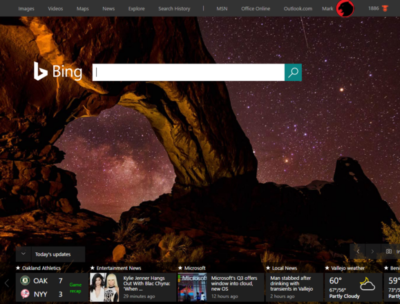
According to Verto, which measures online audience across all devices, Microsoft has four online properties with more than 100 million users per month: Microsoft Live (177.1 million), Bing (138.9 million), Microsoft Office (136.3 million), and MSN (121.5 million). Skype has 83.7 million users.

Viewed through the lens of “constant currency” adjustments that discount inflation, Microsoft’s strategy seems to be working: commercial Office 365 license revenue was up 7 percent, consumer Office 365 license revenue by 6 percent. Windows non-Pro revenue growth was 15 percent, though Pro revenue to the commercial market dipped by 11 percent. Xbox Live active users are now at 46 million, up 24 percent from a year ago.

Hidden dangers

Peer a little closer, though, and you begin to see signals that may be worrying the more impatient sectors of Wall Street. For one, device revenue is expected to continue falling. Save for a $12.7 billion holiday quarter, revenue in Microsoft’s “More Personal Computing” group has bumped along each quarter for the past year at about $9.3 billion or so. It’s expected to fall to between $8.7 billion and $9 billion this quarter, CFO Amy Hood said, apparently all attributable to the decline in phone sales.

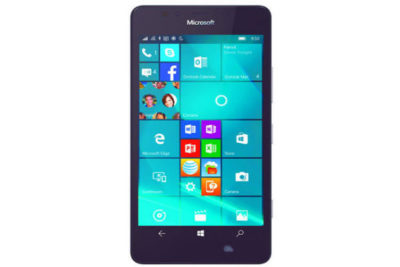
The PC is the most frequently used device to access Microsoft services, Verto found, with 195.6 million monthly users. The smartphone is second, with 85.8 million users—but few of those devices are Windows phones.
lumia950

”Microsoft is clearly in an interesting position,” said Hannu Verkasalo, the chief executive of Verto, in an emailed statement.Microsoft has said in the past that the service matters more than the device, and the company does have software traction. “They have quickly pushed their mobile reach with their new device agnostic strategy,” Verkasalo continued.

Here’s the catch: “Even though they still have twice as many users using Microsoft services on PCs versus smartphones,” Verksala pointed out, “the mobile segment is the growth area.”Lacking a viable mobile device, Microsoft is missing out on opportunities to get even closer to users—and their wallets—in this growth area.

There’s also some evidence that Microsoft isn’t selling services as quickly as it could. Microsoft added just 1.6 million Office 365 consumer subscribers during the quarter, for a total of just 22.2 million users. Remember, at least 60 million Windows 10 PCs were sold during that quarter alone.

Keep your eyes open

All this means that the process of locking in customers to the Microsoft platform might be taking longer than expected. To date, investors haven’t minded, generally cheering Nadella’s leadership and sending the company’s stock up to near its all-time high in 1999.

But given Microsoft’s lower earnings and revenue—and downward guidance in key business units—it’s possible Microsoft may come under greater pressure to make its Windows 10 vision a reality. That’s not necessarily great news for consumers.

We all know how Microsoft originally made Windows 10 a free update, then began essentially forcing upgrades on users. To be fair, the company hasn’t stopped rolling out updates and new features, with the so-called Anniversary Update on the horizon.

So far, the company has taken the same “softly, softly” approach to Office 365: New Skype for Business features essentially require Office 365, as do new unsafe email warnings for Outlook. But what might Microsoft do if it feels it needs to make Office 365 stickier—put all of Office Online behind a paywall, perhaps?

Several analysts questioned Microsoft about potential profit margin declines. Nadella and other Microsoft executives indicated they’re staying the course. Eventually, though, Wall Street is going to take a harder look at how Microsoft’s strategy is playing out—and the one-year anniversary of Windows 10 could be the ideal time.

Say what you will about Windows 10 and privacy—Microsoft remains generally benign. But if investors start putting the screws in, you can’t help but wonder if there will be more pressure to pay up.

Have questions?

Get answers from Microsofts Cloud Solutions Partner!
Call us at: 856-745-9990 or visit: https://southjerseytechies.net/

South Jersey Techies, LL C is a full Managed Web and Technology Services Company providing IT Services, Website Design ServicesServer SupportNetwork ConsultingInternet PhonesCloud Solutions Provider and much more. Contact for More Information.

To read this article in its entirety click here.