RingCentral Mobile Users Without A Digital Line

Ring Central allows your employees to communicate anywhere, anytime on any device. In the past, Ring Central has not been enforcing licenses for employees that are using the system on mobile devices without a digital line. That is about to change. 

RingCentral Mobile Users FAQ


Why are you now charging for Mobile Users without a digital line?
Mobile Users without a digital line can make and receive calls and have access to many of the same capabilities as users with digital lines. These include RingCentral Glip, RingCentral Meetings, integrations and more. With this advanced functionality, these users have begun using the product the same way they would a digital line.

Consequently, Mobile Users using the system without a digital line will now be considered part of the total licensed users and will be charged based on their account’s current cost per digital line.

Will I be charged for using the Mobile App?
No. Mobile Users with a digital line are not affected, and can continue to use the Mobile App for no additional charge. This change only affects Mobile Only Users without a digital line.

When does this take effect?
Please refer to the email notification for the timing of this change for your account.

What will be the cost?
The cost for each Mobile User without a digital line will be the same as users who have a digital line. If you want to add digital lines for your Mobile Users at no additional cost (excluding taxes and fees), please contact your RingCentral account manager.

What are the benefits to Mobile Users of adding a digital line?
By adding a digital line, the Mobile User will get full access to RingCentral’s softphone (inbound and outbound) and the ability to use a desk phone if needed. If you are interested, please contact your account manager by calling  800-591-7973.

How do I know which Mobile Users without a digital line will be billed at any given time?
System administrators can log into their RingCentral account and see this information under the billing tab. See more details here. If a mobile user without a digital line is inactive or is only used for internal company calls, within a given month, there will be no charge.


8 ways the iPhone 8 can beat the Galaxy S8

The Galaxy S8 might be the best phone of 2017, but the year’s not over until the next iPhone makes its debut. Here’s how Apple can take the crown back from Samsung.

If there wasn’t already a mountain of pressure on Apple to deliver something spectacular with this year’s iPhone update, there surely is now. If you haven’t noticed, Samsung has released the Galaxy S8 and S8+, and they’re pretty remarkable. As a former iPhone 7 Plus user, the S8+ might very well be the best phone I’ve ever used, with a stunning screen, speedy processor, and, yes, a gorgeous design.

But what makes the S8 so amazing is how unique it is. For the first time in a while, Samsung is standing alone on the cutting edge with a phone that needs to be seen to be believed. From its barely there bezels to its brilliant wraparound screen, the Galaxy S8 truly gives Apple a run for its money. No joke, it actually makes the iPhone 7 look pretty stale.

But there’s still a lot of time between now and the release of the next iPhone. According to rumors, the lineup this year will consist of the usual S models along with a fantabulous iPhone 8, which looks to adopt a similar aesthetic to the Galaxy S8, with an edge-to-edge OLED display and the removal of the physical home button. But just because it might look similar doesn’t mean it can’t still be better. Here’s how Apple can still steal the crown from Samsung:

The Galaxy S8 has a killer camera but the iPhone 7 is no slouch.

Killer camera

The Galaxy S phones has always had a camera on par with the iPhone, so it was a little surprising that Samsung didn’t upgrade the S8’s all that much. The iPhone 7 Plus is already a step ahead here, with 2X optical zoom and the sublime Portrait Mode, but the iPhone 8 could really separate itself from the S8 by taking it even further. Along with a megapixel bump, Apple could add optical image stabilization to the second lens, which will go a long way toward increasing photo and zoom quality. But what would really set it apart would be a larger sensor and greater ISO range to make it a low-light leader.

The Gear VR is a big part of the S8, but AR could be the iPhone 8’s big play.

AR not VR

While Samsung is going all-in on virtual reality with the Galaxy Gear and the S8, rumors suggest that Apple is more interested in augmented reality. And that could be one of the features that sets the iPhone 8 apart. Smartphones have been slow to incorporate AR into the interface, but if Pokémon Go has taught us anything, it’s that people are way more interested in seeing the world through their screens than strapping a headset to their faces. An AR-fueled iPhone 8 could connect us to the world in fun new ways without separating us from reality.

The Galaxy S8’s fingerprint sensor is just in the worst place.

Well-placed fingerprint sensor

While the Galaxy S8 is one of the best smartphones ever made, one tragic flaw prevented it from being perfect: the placement of the fingerprint sensor. For some god-awful reason, Samsung put it right next to the camera, all but ensuring your finger will not only miss it, but also repeatedly smudge the lens. If the rumors are correct that Apple will also be removing the home button in the iPhone 8, it has two options: under the screen or on the back. A first-of-its-kind in-panel sensor would be revolutionary, but if it’s on the back, Apple needs to learn from Samsung’s mistake and put it lower, like on the Pixel.

Bixby hasn’t exactly exploded out of the gate, but it does a lot that Siri doesn’t do.

Expanded Siri

When Samsung unveiled the S8, a major part of the presentation was spent introducing its new AI assistant, Bixby. However, the new service wasn’t just a competitor to Siri, Alexa, and Google Assistant. Samsung integrated Bixby deep into the interface to let it access apps, fetch information, and cut down on how often we need to touch our phones. It’s a cool idea, except the only problem is it doesn’t really work. If Apple could do something similar with Siri and expand its reach to work inside apps while we’re using them, it could beat Bixby at its own game.

The Galaxy S8’s screen is pretty, but It also uses its software to accentuate it.

iOS 11

One of the biggest gripes people have had about Samsung’s phones has always been its TouchWiz interface. But that’s changed with the S8, as Samsung has crafted an intuitive, refined system that takes full advantage of its superb hardware. If Apple is going to release a radically redesigned iPhone with curved edges and a wraparound screen, the same old iOS isn’t going to do it justice. It might be time to rethink iOS for modern times and give it more than new features and a fresh coat of pixels.

Samsung’s wireless charging supports Qi and PMA standards, and the pad stands up or lies flat. But it’s not long range wireless.

True wireless charging

While Samsung has had wireless charging in the Galaxy S since the S6, Apple has been slow to adopt it for the iPhone. All signs indicate that’s going to change for the iPhone 8, but if Apple wants to top the Galaxy S8 and not just keep pace, it’s going to need something a little more exciting than a pretty charging pad. One of the rumors we’ve read suggests that Apple could adopt true long-range wireless charging for the next iPhone, which would power up the battery whenever you’re within range of the charger, even if it’s in your pocket. That alone would be an S8 killer.

The Galaxy S8 includes a pretty great pair of earbuds.

Bundled AirPods

Samsung didn’t just resist the trend to ditch the headphone jack on S8, it embraced the 3.5mm jack in a big way. Inside the S8 box is a pair of premium AKG-tuned earbuds that are a few steps above the usual build and sound quality you get for free—certainly better than what Apple gives us. But if Apple really wants to embrace the wireless future of the iPhone, it needs to stop including a wired set of EarPods, even if they are Lightning. A pair of AirPods in the box (or a cheaper Beats alternative) would really set it apart from the 3.5mm S8 and make a strong statement.

The battery life on the S8 is really good, but the iPhone 8’s could be even better.

Blow-away battery

Samsung has had its share of battery issues, but the S8 looks to put them in the past with a long-lasting battery that hopefully won’t blow up. But while it can get through the whole day for the most part, the S8 didn’t deliver the the real breakthrough we were hoping for. We’re still waiting for a phone that lets us completely forget about the battery until our day is over, and we’d love to see the iPhone 8 deliver something in the range of 12 hours and truly change the game.

Have questions?

Get answers from Microsofts Cloud Solutions Partner!
Call us at: 856-745-9990 or visit: https://southjerseytechies.net/

South Jersey Techies, LL C is a full Managed Web and Technology Services Company providing IT Services, Website Design Services, Server Support, Network Consulting, Internet Phones, Cloud Solutions Provider and much more. Contact for More Information.

To read this article in its entirety click here.

The 50+ best features in iOS 11

With new apps like Files, a desktop-like Dock and countless smaller tweaks and advances, Apple’s new mobile OS offers plenty of enhancements.

Apple’s upcoming iOS 11, already in public beta and due out this fall in its final form, delivers numerous improvements and changes for iPad and iPhone users. These include a host of new enterprise-useful features — especially for the iPad — as well as a variety of tweaks that will almost any user.

Here’s a rundown of the 50 or so most important things you need to know to get the most from Apple’s mobile platform.

Augmented reality

Apple’s newly introduced ARKit framework lets developers create augmented reality experiences that can be accessed using compatible (A9- and A10-processor-powered) iOS devices — meaning iPhones and iPads released since September 2015. The software only recognizes horizontal planes today, but this will change in the future, and it’s expected to help companies explore new opportunities, from online retail to gaming to unified communications. Apple’s AR partners include Valve/SteamVR, Unity and Epic Games.

What’s critical here is that hundreds of millions of devices will immediately support AR once iOS 11 ships, making this an extremely viable VR platform development opportunity.

Read More

APPLE WARNS OF WI-FI HACK: Could wipe out iPhones, issues fix

If you use Wi-Fi on your iOS device, get this security update

The tech giant says there is a new cyber threat, but has taken steps to thwart the attack.  According to the reports, “Apple has now issued a critical security patch for all iOS devices and for Mac computers against a potential hack that could come remotely via Wi-Fi.”

The virus is being considered a potentially serious threat, so the company is urging users to install the updates to protect their devices.

The latest cyber threat is also a risk to Android device users, but Google has taken steps as well to block the virus.

“The vulnerability also has the potential to attack Android devices, but Google issued its own security patch earlier this month.”

Have questions?

Get answers from Microsofts Cloud Solutions Partner!
Call us at: 856-745-9990 or visit: https://southjerseytechies.net/

South Jersey Techies, LL C is a full Managed Web and Technology Services Company providing IT Services, Website Design Services, Server Support, Network Consulting, Internet Phones, Cloud Solutions Provider and much more. Contact for More Information.

To read this article in its entirety click here.

Windows 10: The top 10 features headed your way in 2017

A look at the most significant changes due to hit Microsoft’s evolving OS in the coming year.
Microsoft has made many promises about what Windows 10 will do, and while some have materialized, others still remain ambitions.

As a perpetual work-in-progress, Windows 10 continues to accrue new features, as Windows catches up with Microsoft’s vision of it being an OS that runs anywhere, syncs with the cloud and has an intelligent assistant at its core.

While Windows 10 will be buffed up by the arrival of the Windows 10 Creators Update early next year, 2017 as a whole will see the OS undergo significant changes, some of which are long-awaited. Here’s what to look out for.

Windows 10 phones edge closer to replacing desktop PCs
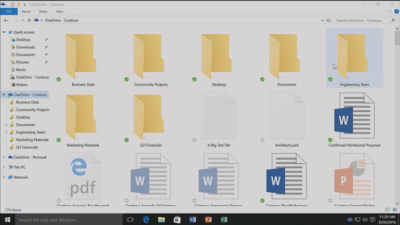
Microsoft has long pushed the idea that Windows 10 on phones will be so powerful, it’ll be akin to carrying a full PC in your pocket, courtesy of the OS’ Continuum feature.

“With Continuum for phones, we believe that any screen can be your PC,” Joe Belfiore, Microsoft’s corporate VP of the operating systems group, told the Microsoft Build Developer Conference in 2015, going on to add:

“Imagine the effect this could have on mobile first countries, where individuals could be as effective with the phone that they’re buying.”

Today the reality of using Continuum on Windows 10 falls somewhat short of Belfiore’s future-gazing. While a select Windows 10 phones, such as the Lumia 950, can be hooked up to mouse, keyboard and monitor and used as a Windows desktop there are significant limitations. Only one fullscreen app can be used at a time, legacy Windows apps won’t run on existing handsets and even Universal Windows Platform apps need to explicitly support Continuum.

However, in addition to the possibility of legacy apps running on smartphones, see below, various improvements to Continuum are due to land with the Creators Update in early 2017.

These include support for more PC features, such as running multiple Windows side-by-side on the desktop, pinning apps to the Taskbar and hitting the Windows button to bring up the search box. Other improvements include the ability to keep your phone in your pocket and have it connect wirelessly to a docking station and to independently customize the Windows Start screen on the phone display and on a PC monitor.

Running classic Windows software on your phone

This one’s a rumor but based on solid foundations, and with the potential to transform Windows 10’s appeal on mobile if correct.

The big fly in the ointment when it comes to using Windows 10’s Continuum feature to run a phone as a PC is that Windows 10 phones only run Universal Windows Platform apps. This incompatibility means that widely-used Windows apps from desktop PCs can’t be used on handsets.

However, by sniffing around inside Windows 10’s code, users have uncovered signs that Microsoft is working on bringing these apps to Windows phones.

The code in question suggests that Microsoft is building an emulator that would allow desktop x86 apps to work on the ARM64-based handsets.

As reported by ZDNet’s Mary Jo Foley last month, Twitter user WalkingCat found a reference to what he termed “Windows’s hybrid x86-on-ARM64 tech” in Windows’ codebase, which also referenced the term, “CHPE.”

The clue chimed with Foley, who said her sources had told her that Windows 10 will gain this x86 on ARM64 emulation capability, but not until Fall 2017.

Foley guesses that C stands for Cobalt, the codename for x86 emulation on ARM, and that HP relates to the tech giant HP, which has been working with Microsoft on its the HP Elite x3 Windows Phone, a Windows 10 handset that can serve as a desktop PC via Continuum.

Microsoft certainly has good reasons for wanting such emulation to work. If Windows 10 phones could run as Windows desktops with full support for legacy apps, without having to resort to remote desktop software, Windows 10 phones could suddenly be far more appealing to business.

Return of OneDrive placeholders

Since the launch of Windows 10, many users have been petitioning Microsoft to reintroduce placeholders to the OS’ built-in OneDrive cloud storage service.

In Windows 8.1, placeholders, also called smart files, let users see all of their files stored on OneDrive, whether those files were stored on the device or not.

This feature was removed from Windows 10 but is now due to be bought back in Windows 10 File Explorer when browsing OneDrive. The returning feature will work in a similar fashion to Windows 8.1’s placeholders, showing users files both stored locally and on OneDrive, allowing them to download files and folders to the device and keep them in sync with OneDrive.

Orchestrate Windows apps using Linux tools

Microsoft recently updated Windows 10 to let users run a range of Linux tools from inside the OSand seems committed to continuing to improve support for Linux command-line software in Windows.

In Windows 10, Ubuntu/Linux software runs on top of the Windows Subsystem for Linux (WSL). Users run Linux software and issue commands at the command line via the Bash shell.

Microsoft is working to increase the range of commands that can be run via the shell but perhaps the most significant change on the horizon is increased interoperability between the Bash and Windows environments. Effectively this will let developers call Windows applications from within Bash — allowing them to write a Bash script to automate a complex build that includes Windows applications — and to invoke Bash applications from Windows PowerShell.

These changes will be generally available in Windows 10 after the Creators Update early next year.

Easy communication with friends and family

Next year’s Creators Update will boost Windows 10’s social credentials, with a series of changes to make it simpler to stay in touch and share content with friends and family.

The Windows MyPeople feature will allow users to pin their favorite contacts to the right-hand side of Windows taskbar. Clicking on a pinned contact’s face brings up email or Skype messages from only that person and files can be dragged files to that person’s face for quick sharing. Informal check-ins also become easier, with the Shoulder Taps feature allowing pinned contacts to send friends animated emojis and other clipart, which pop up above that contact’s face on the taskbar.

Focusing Windows around virtual and augmented reality

Microsoft plans to put 3D and virtual reality at the heart of Windows 10, as it bets on the success of low-cost headsets due out next year.

Acer, Asus, Dell, HP and Lenovo will release virtual reality head-mounted displays, with prices starting from $299.

Some of these headsets will be released in March, to coincide with the release of the Windows 10 Creators Update, which will include various tools to simplify the creation and sharing of 3D content, including a new version of Microsoft Paint.

In a demo earlier this year, Microsoft showed how Windows 10 could work on virtual reality headsets, demonstrating a mock-up of a virtual space with a large TV screen and virtual shelves stocked with apps and 3D models, and with the Edge browser appearing as a large window in the wearer’s view.

Another demo, this time using the far more expensive Microsoft HoloLens, showed Microsoft’s Edge browser as a window in the user’s vision, from which the demoer dropped actual-sized 3D models of stools from the furniture site Houzz around the room, in order to see what they looked like in real life.

Allowing Windows to function in this way is Windows Holographic, a variant of the Microsoft OS that provides a platform for virtual and augmented reality headsets to run Universal Windows Platform apps.

More detail on Microsoft’s VR and AR plans are expected this week at the WinHEC conference in China.

Better battery life

Windows 10 PCs and tablets should have better battery life after the Creators Update lands in March, thanks to changes to how the OS is patched.

The steady stream of updates isn’t going to slow down but they are going to suck up less bandwidth and reduce strain on phone and laptop batteries.

Download sizes for major updates will be cut by about 35 percent and battery life of Windows 10 mobile devices will improve, due to each device spending less time checking for updates.

The improvements will stem from Windows 10’s new Unified Update Platform, already used for Windows 10 on phones, which only updates each device with the files it needs, rather than delivering all updates to date, and doesn’t rely so heavily on the user’s device to process update data.

Windows Defender Application Guard

Coming to Windows 10 Enterprise users early next year, Windows Defender Application Guard is designed to help protect firms against online threats.

The new safeguard will add container-based isolation to Windows 10’s Edge browser.

Application Guard will ensure that when Edge accesses a website not designated as trusted, the browser will be launched inside a container, a virtualized environment isolated from the rest of the Windows OS.

If the site tries to download and run malicious code on the device, that code remains within the container, unable to permanently compromise the Windows device or the wider network, and disappears when the browser session shuts down.

Unlike the software-based sandboxes that are offered by other browsers, Microsoft says that Application Guard provides a hardware-based container that offers greater protection to the device.

Other enterprise-focused changes in the forthcoming Creators Update include improvements to Windows Defender Advanced Threat Protection’s ability to detect and respond to network attacks, an upgrade to the Windows Analytics dashboard to display additional information about the composition of IT estates, a new tool for in-place UEFI conversion, and a mobile application management feature for protecting data on employees’ personal devices.

Home Hub

Rather than building hardware to challenge voice-controlled virtual assistants such as Amazon Echo and Google Home, it seems as if Microsoft is working on transforming Windows 10 into what it calls a Home Hub.

Evidence of this shift comes from a Windows Central interview with unnamed sources. These sources claim that Home Hub will turn Windows into a shared computing environment for the home, allowing family members to more easily share calendars, apps and services.

A future-gazing Microsoft video from 2013, dug out by ZDNet’s Mary Jo Foley, shows how this system might eventually work. In it, family members share access to photos, apps and calendars on a screen attached to a wall and interact with computers around the home, for example scanning carrots to find appropriate recipes. Adding credence to the Home Hub rumor are references to Home Hub being a shared family account in Windows 10, as discovered by Twitter user WalkingCat.

ZDNet’s Foley also references a recent Microsoft job posting for a software engineer in the Windows and Devices Group, which is seeking someone to expand Windows’ “family” credentials.

According to the ad, this engineer will play a critical role in helping families to “share pictures, videos, applications, games, and other purchases easily” and to “communicate freely and stay in touch” using Windows 10.

Blue light reduction

One more unconfirmed new feature appears to be aimed at helping Windows 10 users get a good night’s sleep.

Being exposed to blue light from computer screens late at night can supposedly disrupt the body’s sleep cycle.

To counter this disturbance, Windows 10 already has f.lux software that reduces blue light emitted by screens close to bedtime.

But it seems that Microsoft may be working on its own feature to address the issue.

Twitter user Core has discovered references to “BlueLightReduction” hidden within early builds of the OS being tested under the Windows Insider Program, a setting which appears as if would be toggled from Windows 10’s Action Center.

Have questions?

Get answers from Microsofts Cloud Solutions Partner!
Call us at: 856-745-9990 or visit: https://southjerseytechies.net/

South Jersey Techies, LL C is a full Managed Web and Technology Services Company providing IT Services, Website Design Services, Server Support, Network Consulting, Internet Phones, Cloud Solutions Provider and much more. Contact for More Information.

To read this article in its entirety click here.

How to get the Windows 10 Anniversary Update

windows10anniversary

Update 8/16/16: The Windows 10 Anniversary Update has begun rolling out for Windows 10 Mobile. The Anniversary Update includes additional features and improvements for your Windows 10 phone. To manually check for the update, on Start, swipe over to the All apps list, then select Settings > Update & security > Phone update > Check for updates. Note that availability may vary by manufacturer, model, country or region, mobile operator or service provider, hardware limitations and other factors.

The Windows 10 Anniversary Update has begun rolling out for customers around the world*. The Windows 10 Anniversary Update is full of new features and innovations that bring Windows Ink and Cortana** to life; a faster, more accessible and more power-efficient Microsoft Edge browser; advanced security features; new gaming experiences and more. The Windows 10 Anniversary Update will start rolling out to Windows 10 Mobile phones in the coming weeks.

The Windows 10 Anniversary Update is being rolled out to Windows 10 PCs across the world in phases starting with the newer machines first. You don’t have to do anything to get the Windows 10 Anniversary Update, it will roll out automatically to you through Windows Update if you’ve chosen to have updates installed automatically on your device. However, if you don’t want to wait for the update to roll out to you, you can manually get the update yourself on your personal PC. If you’re using a Windows 10 PC at work, you will need to check with your IT administrator for details on your organization’s specific plans to update.

Here are a couple ways you can manually get the Windows 10 Anniversary Update

Go to Settings > Updates & Security > Windows Update

settings

1. In Windows Update simply click Check for Updates.

checkfor-updates

2. The Anniversary Update will appear as, Feature update to Windows 10, version 1607. Click update and the update will begin downloading and installing.

updateinstalling

Another way to get the Windows 10 Anniversary Update will be by clicking “Learn more” just below the “Looking for info on the latest updates? In Windows Update.

learnmore

From there you’ll be taken to a support page on Microsoft.com that will allow you to download the ISO file to your PC.

We hope you enjoy the Windows 10 Anniversary Update!

*Windows 10 Anniversary Update will be available in all countries where Windows 10 is available.
**Cortana available in select markets

Have questions?

Get answers from Microsoft’s Cloud Solutions Partner!
Call us at: 856-745-9990 or visit: https://southjerseytechies.net/

South Jersey Techies, LL C is a full Managed Web and Technology Services Company providing IT Services, Website Design Services, Server Support, Network Consulting, Internet Phones, Cloud Solutions Provider and much more. Contact for More Information.

To read this article in its entirety click here.

Research: Apple rated highest for security on mobile devices

Mobile devices are almost universal in the enterprise in 2016. Tech Pro Research conducted a survey to see what devices employees are using for work, and how safe these devices are.

In new research conducted by Tech Pro Research, 98% of respondents said they use mobile devices for work. Smartphones and laptops were the most common, with 94% of respondents who use mobile devices using them. 74% of mobile device users said they work with tablets. Wearables haven’t found a widespread usage base in the workplace, with only 14% reporting using them. When users rated the security of devices based on vendors, Apple got the best ratings in all categories.smartphones

For smartphones Apple’s high ratings could be partially attributed to familiarity since 67% of respondents said employees at their company use iPhones. Only Samsung was close to Apple in terms of prevalence, and the company was way behind Apple in security ratings.

tablets

Apple also had the largest share of tablet use, and the highest security rankings, among respondents. 53% said they and their colleagues use iPads and 46% of users ranked security as very good or excellent.

laptops

Dell was the most popular brand among respondents, in terms of use for work, but it got third place in security ratings.

wearables

Security on wearables appears to still be developing, based on the mediocre security ratings among all brands, and the fact that security feature usage isn’t the norm for wearables yet.

Have questions?

Get answers from Microsofts Cloud Solutions Partner!
Call us at: 856-745-9990 or visit: https://southjerseytechies.net/

South Jersey Techies, LL C is a full Managed Web and Technology Services Company providing IT Services, Website Design Services, Server Support, Network Consulting, Internet Phones, Cloud Solutions Provider and much more. Contact for More Information.

To read this article in its entirety click here.

iPhone 7 rumors: Goodbye 16GB, hello 256GB and ‘Pro’ line

The new iPhone doesn’t come out until September, but that won’t stop the rumor mill from churning at a furious pace.

Now that WWDC is over, the iPhone 7 rumors are getting even louder, since its expected unveiling in September is probably the next time we’ll see Tim Cook on stage. Yes, that’s still a good while from now. To help keep track of all the scuttlebutt, we’re collecting every rumor we’ve heard so far—and every new one that crops up between now and the day Tim pulls the new iPhone out of his pocket. Then we’ll assess whether each rumor seems legit or absurd, and we’d love to hear your thoughts too. Sound off in the comments.

What’s the latest?

The rumor: Pricing specs for the upcoming iPhone 7 have allegedly leaked on Weibo, according to 9to5Mac. If believed, the specs show that Apple is looking to release a 256GB model of the iPhone 7 that will be the same price as the 128GB model of the current generation iPhone 6s. Furthermore, Apple would drop the meager 16GB models, offering instead 32GB, 64GB, and 256GB for the iPhone 7 and 32GB, 128GB, and 256GB for iPhone 7 Plus. And that’s not all, the rumor on Weibo has it that Apple is gearing up an iPhone 7 Pro line. This Pro model would be the only one to offer the dual-camera system that’s been rumored before, and a Smart Connector for accessories similar to the iPad Pro.

Plausible: Generation after generation, Apple has mostly retained the same pricing for iPhone models, so the fact that the 256GB iPhone 7 would cost the same as the current 128GB wouldn’t be unheard of. However, we’re a little skeptical that Apple would get rid of the 16GB base models, especially since iOS 10 seems to have been designed to optimize storage. And the Pro line would be an interesting addition, and would certainly make up for the fact that the iPhone 7 is rumored to be almost-identical to the 6s models. Apple is also making some strides in enterprise software, so an iPhone Pro would be a logical next-step.

Headphone jack after all?

The rumor: Via Engadget comes some component photos from Rock Fix, a smartphone repair shop in China. They allegedly show a dual-SIM tray, another shows a dual-lens camera for the larger Plus model, and curiously, there’s even an Lightning assembly that still has the headphone jack attached. People who need a lot of storage will be pleased to hear another photo shows SanDisk memory ships up to 256GB, which would be the most storage Apple’s ever offered in an iPhone.

Plausible? It’s hard to give much weight to photos of components, and as reported in the same Engadget article, conflicting rumors about the dual-lens camera surfaced within days. But it is plausible that these components could be for the iPhone 7—and we know plenty of people who would be thrilled if the new phone had a headphone jack after all.

New colors?

The rumor: It’s not easy being green, and iPhone owners might be starting to get envious of how many colors you can get an Android phone in. iPhones used to be pretty monochromatic, until Apple added gold and then an even brighter splash of color with last year’s rose gold hue (OK, OK, it’s pink). Japanese blog Macotara is reporting that Apple is switching it up this year, swapping the space gray color for navy blue instead.

Plausible? This is absolutely plausible. Apple’s iPhones have never been colorful, but the iPod touch comes in beautiful colored aluminum, and Apple has also set a tradition recently of switching up its Apple Watch bands to fit the season. One of the latest additions is a handsome navy Sport Band, and the Classic Buckle, Leather Loop, Modern Buckle, and two of the Hermès bands come in navy too. Navy looks great on both men and women, but we can’t help being a bit surprised it’s the “basic black” space gray color that’s rumored to be replaced.

A flat Home button?

The rumor:  Blurry, possibly fake spy photos from mobipicker (via 9to5Mac) seem to show a very flat-looking Home button. As in, maybe it’s not a button, maybe it’s just a touch-sensitive place you touch (and/or 3D Touch) instead of physically clicking it.

A fully flat Home button could have 3D Touch potential too.

Plausible? The Touch ID button got a lot faster between the iPhone 6 and 6s, but any button that physically clicks is another opportunity for hardware failure. With the rise of installment plans and the iPhone Upgrade program, we expect Apple to keep making little tweaks that make its phones more durable, so they’re turned in good enough shape to be possibly refurbished and resold. So yes, this is very plausible, and we think Apple could pull it off where the experience is the same, perhaps even using a little haptic feedback to make it feel like the button is clicking but it’s not—just like the Force Touch trackpad.

Read More

Windows phones’ free-fall may force Microsoft to push harder on Windows 10 adoption

Microsoft needs to protect its access to your wallet.

Windows_Phone_logo


Poor little Windows phone could have a bigger effect on Microsoft’s business than you’d think. As the company’s mobile device strategy continues to disintegrate, Microsoft may feel compelled to push harder on Windows 10 adoption and paid services to prove it can survive without a viable smartphone—and that could be bad news for consumers.

The raw numbers are shocking: Microsoft sold a minuscule 2.3 million Lumia phones last quarter, down from 8.6 million a year ago. Phone revenue declines will only “steepen” during the current quarter, chief financial officer Amy Hood warned during a conference call. That’s dragged down Microsoft’s results as a company, too.

Chief executive Satya Nadella opened his remarks to analysts optimistically, however, by noting that Windows 10 now powers 270 million devices in active use, a steady increase in its user base since the formal launch of Windows 10 last July. Later on, he summed up Microsoft’s message: “In this world, what matters most is the mobility of a person’s experience, not any one single device,” he said.

Will Wall Street buy it? If it does, Nadella will be free to continue. But if investors begin to get cold feet, you might see Microsoft push Windows 10 more aggressively to keep its numbers up.

Microsoft

Selling hardware to sell services

Nadella’s strategy is simple enough: grow Microsoft’s revenues, in part by convincing customers to adopt its paid subscription services. The most direct way is through sales of Surface or Lumia hardware. If that fails, then a third-party Windows 10 PC will suffice. Failing that, Microsoft apps like Bing or Cortana running on iOS or Android are acceptable as well.

But what Microsoft really wants is to sign you up for paid subscription services: Office 365 and Xbox Live, plus the corresponding enterprise licenses for Windows 10, Office 365, and Azure. ”Overall, the thing that we’re most focused on with Office 365 is how do we make sure we have the Office 365 endpoints everywhere, [with] good usage,” Nadella said.

bing-home-page

According to Verto, which measures online audience across all devices, Microsoft has four online properties with more than 100 million users per month: Microsoft Live (177.1 million), Bing (138.9 million), Microsoft Office (136.3 million), and MSN (121.5 million). Skype has 83.7 million users.

Viewed through the lens of “constant currency” adjustments that discount inflation, Microsoft’s strategy seems to be working: commercial Office 365 license revenue was up 7 percent, consumer Office 365 license revenue by 6 percent. Windows non-Pro revenue growth was 15 percent, though Pro revenue to the commercial market dipped by 11 percent. Xbox Live active users are now at 46 million, up 24 percent from a year ago.

Hidden dangers

Peer a little closer, though, and you begin to see signals that may be worrying the more impatient sectors of Wall Street. For one, device revenue is expected to continue falling. Save for a $12.7 billion holiday quarter, revenue in Microsoft’s “More Personal Computing” group has bumped along each quarter for the past year at about $9.3 billion or so. It’s expected to fall to between $8.7 billion and $9 billion this quarter, CFO Amy Hood said, apparently all attributable to the decline in phone sales.

The PC is the most frequently used device to access Microsoft services, Verto found, with 195.6 million monthly users. The smartphone is second, with 85.8 million users—but few of those devices are Windows phones.

lumia950

”Microsoft is clearly in an interesting position,” said Hannu Verkasalo, the chief executive of Verto, in an emailed statement.Microsoft has said in the past that the service matters more than the device, and the company does have software traction. “They have quickly pushed their mobile reach with their new device agnostic strategy,” Verkasalo continued.

Here’s the catch: “Even though they still have twice as many users using Microsoft services on PCs versus smartphones,” Verksala pointed out, “the mobile segment is the growth area.”Lacking a viable mobile device, Microsoft is missing out on opportunities to get even closer to users—and their wallets—in this growth area.

There’s also some evidence that Microsoft isn’t selling services as quickly as it could. Microsoft added just 1.6 million Office 365 consumer subscribers during the quarter, for a total of just 22.2 million users. Remember, at least 60 million Windows 10 PCs were sold during that quarter alone.

Keep your eyes open

All this means that the process of locking in customers to the Microsoft platform might be taking longer than expected. To date, investors haven’t minded, generally cheering Nadella’s leadership and sending the company’s stock up to near its all-time high in 1999.

But given Microsoft’s lower earnings and revenue—and downward guidance in key business units—it’s possible Microsoft may come under greater pressure to make its Windows 10 vision a reality. That’s not necessarily great news for consumers.

We all know how Microsoft originally made Windows 10 a free update, then began essentially forcing upgrades on users. To be fair, the company hasn’t stopped rolling out updates and new features, with the so-called Anniversary Update on the horizon.

So far, the company has taken the same “softly, softly” approach to Office 365: New Skype for Business features essentially require Office 365, as do new unsafe email warnings for Outlook. But what might Microsoft do if it feels it needs to make Office 365 stickier—put all of Office Online behind a paywall, perhaps?

Several analysts questioned Microsoft about potential profit margin declines. Nadella and other Microsoft executives indicated they’re staying the course. Eventually, though, Wall Street is going to take a harder look at how Microsoft’s strategy is playing out—and the one-year anniversary of Windows 10 could be the ideal time.

Say what you will about Windows 10 and privacy—Microsoft remains generally benign. But if investors start putting the screws in, you can’t help but wonder if there will be more pressure to pay up.

Have questions?

Get answers from Microsofts Cloud Solutions Partner!
Call us at: 856-745-9990 or visit: https://southjerseytechies.net/

South Jersey Techies, LL C is a full Managed Web and Technology Services Company providing IT Services, Website Design Services, Server Support, Network Consulting, Internet Phones, Cloud Solutions Provider and much more. Contact for More Information.

To read this article in its entirety click here.