Here’s what’s coming next from Sling TV

Sling TV CEO Roger Lynch talks pricing, DVR, and certified hardware.

A lot’s changed in the two years since Sling TV made its grand debut at CES 2015. Instead of being the only streaming option for cable channels like ESPN and CNN, Sling is now one of three options alongside PlayStation Vue and DirecTV Now, and it will soon have a fourth competitor in Hulu.

Accordingly, Sling has changed with the times. The company, a subsidiary of Dish Network, has added new channels, created a second base package with a different mix of channels, and is working on a cloud DVR feature.

What else is in store for Sling this year? Here’s what we learned from Roger Lynch, Sling’s CEO, during CES 2017:

On DVR, which is “months” away

Sling began testing DVR service in an invite-only beta on Roku devices last month, and while it’s clearly a work in progress, Lynch says feedback has been positive. “The only feedback that isn’t positive is, ‘I wish I had this feature or that feature,’ all of which are being built already anyway,” Lynch says.

For now, Sling is prioritizing simple improvements like grouping recordings from a series into a folder, rather than listing them all separately. The eventual goal is to list all episodes from a series—whether it’s on-demand, recorded, or live—in a single window.

Still, Lynch gave only a rough time frame for when DVR might launch publicly, “It’s not in weeks. It’s not in years. It’s in months,” he says. “We want to get it out as quickly as possible.”

On AirTV and “Optimized for Sling TV”

Just before CES began, Dish announced a new brand called AirTV. Its first product, the AirTV player, puts Sling TV front-and-center, while integrating over-the-air channels and Netflix recommendations into the Sling guide.

Lynch sees AirTV as an example for other device makers to follow. “I’m hopeful that other device partners will make devices similar to this, and do similar types of integrations for Sling, and that it’ll spur innovation in the ecosystem,” he says.

To that end, Sling’s sole CES announcement was an “Optimized for Sling TV” certification program, which will help consumers know whether a device works well with the service. With streaming devices, for instance, criteria could include a Sling button on the remote control, integration with over-the-air broadcasts in the Sling guide, and a way to auto-launch Sling when users turn on the device.

Lynch says Sling is still finalizing how it’ll enforce those criteria. Roku, for instance, pre-loads the Sling app and includes a quick-launch remote button on some models, and that might be enough to earn Sling’s approval. Other types of devices may have different criteria.

“There’s router companies that are looking to be optimized for Sling. So what does that mean for router companies? It doesn’t meant they’re going to integrate OTA and put a button on the remote. It means they’re going to do something to optimize for the experience,” Lynch says.

On separating Sling Orange and Blue

Last year, Sling introduced a second base package, separate from its original $20-per-month plan. The newer plan is called Sling Blue, and it starts at $25 per month, while the original is now called Sling Orange. (Subscribers can bundle the two plans, which have different channel lineups with some overlap, for $40 per month.)

Might Sling eventually try to merge these two plans?

“We work really, really hard not to combine them,” Lynch says. “The problem with combining them is, you end up with a $35 to $40 package because there’s so much content, and you price yourself out of the market from where I think the big opportunities [are].”

That sounds like a shot at rivals like PlayStation Vue, DirecTV Now, and Hulu, none of whom are attempting to match Sling’s base prices. “For us, the Sling Orange product is the perfect cord-cutter product. It’s great for people who use antennas because you’re not forced to buy locals, and locals are really expensive,” Lynch says.

Sling Blue, meanwhile, will likely compete more directly with those larger bundles over time. “That’ll become a broader content package at a higher price point,” Lynch says.

On getting what it wants from TV networks

Since its launch in 2015, Sling has offered a “Replay” feature that lets users rewind live TV and watch several days’ worth of past programming. It’s a nice alternative to setting up a DVR, but not every channel supports the feature.

As you might expect, that’s partly because of issues with streaming rights. But Sling is working on accommodating those issues so it can support Replay on more channels.

“Every program has different requirements, like, can you fast forward, can you not fast forward, yes you can fast forward, but not through commercials,” Lynch says. “There are channels that have granted us rights to Replay, but we haven’t made Replay available on the channel yet, because we still have to put in some technology to enable that, because of the business rules that channel has.”

On the whole, though, negotiating those sorts of features with TV networks is getting easier. Lynch notes that two years ago, Sling was scrambling just to get a basic package together—the service launched with a mere 11 channels—but now TV networks are much more interested.

“When we first launched,” Lynch says, “we didn’t have as much leverage to demand things like that as we do now.”

Have questions?

Get answers from Microsofts Cloud Solutions Partner!
Call us at: 856-745-9990 or visit: https://southjerseytechies.net/

South Jersey Techies, LL C is a full Managed Web and Technology Services Company providing IT Services, Website Design ServicesServer SupportNetwork ConsultingInternet PhonesCloud Solutions Provider and much more. Contact for More Information.

To read this article in its entirety click here.

Symantec Endpoint Protection (SBE)- Upgrading the cloud agent

Symantec has recently become aware of a medium vulnerability in older versions of the server agent. The latest version addresses this vulnerability in new installations and was released February 15th, 2017. Server agents that are not already upgraded will be identified in the SEP SBE cloud management console starting on March 8th. A manual upgrade will be required to ensure you have the latest protection.

Read More

Cyber Ransom Attacks in 2016

Ransom is the top motivation behind cyber attacks, according to a report from Radware, and IT professionals are most concerned about data loss. Here’s what you need to know.

Nearly half of businesses report that they were the subject of a cyber-ransom campaign in 2016, according to Radware’s, Global Application and Network Security Report 2016-2017.

Data loss topped the list of IT professionals’ cyber attack concerns, the report found, with 27% of tech leaders reporting this as their greatest worry. It was followed by service outage (19%), reputation loss (16%), and customer or partner loss (9%).

Read More

What did Microsoft get right in 2016?

2016 was a very good year for Microsoft in terms of decision making. Here is a  list of five things the company got right.

Since its inception way back in the ancient epoch known as the 1970s, Microsoft has often been ridiculed for making mistakes. Whether it was for bad business strategies, poor products, or unscrupulous practices, Microsoft seemed to bring out the passionate ire in many people.

But what often gets overlooked is what Microsoft does right each year. And by just about any measurement, 2016 was a remarkable year for the company. Under the leadership of Satya Nadella, Microsoft has changed its business strategy to reflect what it describes as a mobile-first, cloud-first business world. And in 2016, that strategy began show results.

Here, in no particular order, are five things Microsoft got right in 2016.

1. Windows 10 Anniversary Update

To mark the one-year anniversary of Windows 10, Microsoft released a large patch it dubbed the Windows 10 Anniversary Update. Okay, so Microsoft is not very clever in naming things. But the patch itself was well received. It included new security measures, new program features, Microsoft Edge browser extensions, and advanced support for digital pens, among many other enhancements. If you were already using Windows 10, the Anniversary Update was a must.

2. Surface Studio

While not its primary business, Microsoft has been developing some noteworthy pieces of hardware the past few years and in 2016, the company generated a large amount of buzz with the release of the Surface Studio. This elegant computer combines the best of the desktop, laptop, and tablet to create a unique and innovative platform perfect for artists, designers, and other creative people. With data visualization becoming ever more important, Microsoft may have invented the perfect tool for the big data generation.

3. Microsoft Office 365

I have been wondering aloud if it is a bit too much, but there can be no doubt that with the dozens of program and feature updates released in 2016, Microsoft Office 365 is the alpha and omega of productivity software. Rather than trying to name all of the new features, it would be best to concentrate on the underlying theme: collaboration. Whether it is Yammer, Skype for Business, or the intelligent cloud, Microsoft is concentrating on features necessary for success in a collaborative environment.

4. LinkedIn

In 2016, Microsoft made several acquisitions of both companies and their technologies. Perhaps the most high-profile of these acquisitions was LinkedIn. Despite all of its efforts to create a collaboration platform with Office 365, the one thing Microsoft needed was a social networking component. LinkedIn gives the company a jump start toward establishing a social networking presence that can compete with the likes of Twitter and Facebook. It will be interesting to see what Microsoft does with this acquisition.

5. IoT, AI, and machine learning

While we may live in a mobile-first, cloud-first world right now, the future may very well revolve around the Internet of Things (IoT), artificial intelligence, and machine learning. To its credit, Microsoft sees the potential of these technologies and has taken steps to get ahead of the curve. In terms of recent history, getting ahead of the curve is not something Microsoft has done very well, so it is difficult to know where the research will lead, but it should prove to be worth watching closely.

Despite what some people may tell you, Microsoft does do some things right. In fact, for the most part, the company does more things right than it does wrong. In 2016, Microsoft did many things right and consumers and businesses have been the beneficiaries. Let’s hope Microsoft can continue the trend in 2017.

Have questions?

Get answers from Microsofts Cloud Solutions Partner!
Call us at: 856-745-9990 or visit: https://southjerseytechies.net/

South Jersey Techies, LL C is a full Managed Web and Technology Services Company providing IT Services, Website Design ServicesServer SupportNetwork ConsultingInternet PhonesCloud Solutions Provider and much more. Contact for More Information.

To read this article in its entirety click here.

Here’s how Microsoft will integrate LinkedIn into its products

Microsoft’s massive $26.2 billion acquisition of LinkedIn finally closed, and CEO Satya Nadella explained how the companies will begin working together.

Microsoft’s $26.2 billion purchase of professional networking site LinkedIn officially came to a close on Thursday, after the deal was approved by regulators. Following the close, Microsoft CEO Satya Nadella penned a blog post on LinkedIn detailing how the website would begin integrating with Microsoft’s products.

For starters, LinkedIn identity and network capabilities will be coming to Microsoft Outlook, and to the Office suite in general, the post stated. Additionally, LinkedIn notifications will be available to users in the Windows action center as well.

Since LinkedIn is known as a digital CV of sorts, Microsoft will enable LinkedIn members who draft a résumé in Word to directly update their LinkedIn profile page, and more easily search for and apply to relevant job postings, the post said.

One of the potentially troubling integrations is “extending the reach of Sponsored Content across Microsoft properties,” as Nadella wrote on his blog. Whether that means that users will begin seeing ads in their Office apps remains to be seen, but it sets the stage for a potentially tricky user experience.

Enterprise LinkedIn Lookup will soon be powered by Active Directory and Office 365, which could make it easier for employees to connect with one another. Nadella’s blog post also noted that LinkedIn Learning will be made available across the Office 365 and Windows ecosystem, giving Microsoft shops access to new forms of training and continued learning that could prove valuable to their employees.

Additionally, Nadella wrote that the two companies would begin developing a business news desk across their existing ecosystem of content, and for MSN.com. Sales Navigator and Dynamics 365 will also be integrated in hopes of improving social selling capabilities.

Since the acquisition was first announced, it’s been fairly clear that data was the driving force behind the deal. The two companies had non-overlapping, complementary data graphs, and these integrations show just the first steps that Microsoft is taking to leverage LinkedIn’s data, along with its own, to build out a more holistic ecosystem of business technologies and services.

Current LinkedIn CEO Jeff Weiner will continue to lead the company after the acquisition, and theNew York Times reported that roughly 10,000 LinkedIn employees will join Microsoft.

The 3 big takeaways for readers

  1. Microsoft closed its $26.2 billion acquisition of social networking site LinkedIn on Thursday, with Microsoft CEO Satya Nadella outlining how the two companies will merge.
  2. LinkedIn features and services will be coming to Outlook, Office 365, Dynamics 365, and even MSN.com, with LinkedIn search getting a boost from Active Directory.
  3. The deal has always been about data, and the integrations are just the start of how the two companies will merge their individual data graphs.

Have questions?

Get answers from Microsofts Cloud Solutions Partner!
Call us at: 856-745-9990 or visit: https://southjerseytechies.net/

South Jersey Techies, LL C is a full Managed Web and Technology Services Company providing IT Services, Website Design ServicesServer SupportNetwork ConsultingInternet PhonesCloud Solutions Provider and much more. Contact for More Information.

Windows 10: The top 10 features headed your way in 2017

A look at the most significant changes due to hit Microsoft’s evolving OS in the coming year.
Microsoft has made many promises about what Windows 10 will do, and while some have materialized, others still remain ambitions.

As a perpetual work-in-progress, Windows 10 continues to accrue new features, as Windows catches up with Microsoft’s vision of it being an OS that runs anywhere, syncs with the cloud and has an intelligent assistant at its core.

While Windows 10 will be buffed up by the arrival of the Windows 10 Creators Update early next year, 2017 as a whole will see the OS undergo significant changes, some of which are long-awaited. Here’s what to look out for.

Windows 10 phones edge closer to replacing desktop PCs
Microsoft has long pushed the idea that Windows 10 on phones will be so powerful, it’ll be akin to carrying a full PC in your pocket, courtesy of the OS’ Continuum feature.

“With Continuum for phones, we believe that any screen can be your PC,” Joe Belfiore, Microsoft’s corporate VP of the operating systems group, told the Microsoft Build Developer Conference in 2015, going on to add:

“Imagine the effect this could have on mobile first countries, where individuals could be as effective with the phone that they’re buying.”

Today the reality of using Continuum on Windows 10 falls somewhat short of Belfiore’s future-gazing. While a select Windows 10 phones, such as the Lumia 950, can be hooked up to mouse, keyboard and monitor and used as a Windows desktop there are significant limitations. Only one fullscreen app can be used at a time, legacy Windows apps won’t run on existing handsets and even Universal Windows Platform apps need to explicitly support Continuum.

However, in addition to the possibility of legacy apps running on smartphones, see below, various improvements to Continuum are due to land with the Creators Update in early 2017.

These include support for more PC features, such as running multiple Windows side-by-side on the desktop, pinning apps to the Taskbar and hitting the Windows button to bring up the search box. Other improvements include the ability to keep your phone in your pocket and have it connect wirelessly to a docking station and to independently customize the Windows Start screen on the phone display and on a PC monitor.

Running classic Windows software on your phone

This one’s a rumor but based on solid foundations, and with the potential to transform Windows 10’s appeal on mobile if correct.

The big fly in the ointment when it comes to using Windows 10’s Continuum feature to run a phone as a PC is that Windows 10 phones only run Universal Windows Platform apps. This incompatibility means that widely-used Windows apps from desktop PCs can’t be used on handsets.

However, by sniffing around inside Windows 10’s code, users have uncovered signs that Microsoft is working on bringing these apps to Windows phones.

The code in question suggests that Microsoft is building an emulator that would allow desktop x86 apps to work on the ARM64-based handsets.

As reported by ZDNet’s Mary Jo Foley last month, Twitter user WalkingCat found a reference to what he termed “Windows’s hybrid x86-on-ARM64 tech” in Windows’ codebase, which also referenced the term, “CHPE.”

The clue chimed with Foley, who said her sources had told her that Windows 10 will gain this x86 on ARM64 emulation capability, but not until Fall 2017.

Foley guesses that C stands for Cobalt, the codename for x86 emulation on ARM, and that HP relates to the tech giant HP, which has been working with Microsoft on its the HP Elite x3 Windows Phone, a Windows 10 handset that can serve as a desktop PC via Continuum.

Microsoft certainly has good reasons for wanting such emulation to work. If Windows 10 phones could run as Windows desktops with full support for legacy apps, without having to resort to remote desktop software, Windows 10 phones could suddenly be far more appealing to business.

Return of OneDrive placeholders

Since the launch of Windows 10, many users have been petitioning Microsoft to reintroduce placeholders to the OS’ built-in OneDrive cloud storage service.

In Windows 8.1, placeholders, also called smart files, let users see all of their files stored on OneDrive, whether those files were stored on the device or not.

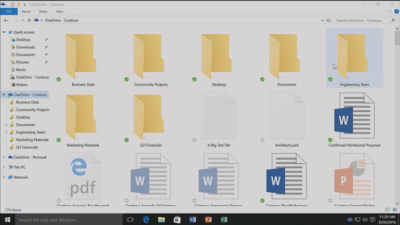
This feature was removed from Windows 10 but is now due to be bought back in Windows 10 File Explorer when browsing OneDrive. The returning feature will work in a similar fashion to Windows 8.1’s placeholders, showing users files both stored locally and on OneDrive, allowing them to download files and folders to the device and keep them in sync with OneDrive.

Orchestrate Windows apps using Linux tools

Microsoft recently updated Windows 10 to let users run a range of Linux tools from inside the OSand seems committed to continuing to improve support for Linux command-line software in Windows.

In Windows 10, Ubuntu/Linux software runs on top of the Windows Subsystem for Linux (WSL). Users run Linux software and issue commands at the command line via the Bash shell.

Microsoft is working to increase the range of commands that can be run via the shell but perhaps the most significant change on the horizon is increased interoperability between the Bash and Windows environments. Effectively this will let developers call Windows applications from within Bash — allowing them to write a Bash script to automate a complex build that includes Windows applications — and to invoke Bash applications from Windows PowerShell.

These changes will be generally available in Windows 10 after the Creators Update early next year.

Easy communication with friends and family

Next year’s Creators Update will boost Windows 10’s social credentials, with a series of changes to make it simpler to stay in touch and share content with friends and family.

The Windows MyPeople feature will allow users to pin their favorite contacts to the right-hand side of Windows taskbar. Clicking on a pinned contact’s face brings up email or Skype messages from only that person and files can be dragged files to that person’s face for quick sharing. Informal check-ins also become easier, with the Shoulder Taps feature allowing pinned contacts to send friends animated emojis and other clipart, which pop up above that contact’s face on the taskbar.

Focusing Windows around virtual and augmented reality

Microsoft plans to put 3D and virtual reality at the heart of Windows 10, as it bets on the success of low-cost headsets due out next year.

Acer, Asus, Dell, HP and Lenovo will release virtual reality head-mounted displays, with prices starting from $299.

Some of these headsets will be released in March, to coincide with the release of the Windows 10 Creators Update, which will include various tools to simplify the creation and sharing of 3D content, including a new version of Microsoft Paint.

In a demo earlier this year, Microsoft showed how Windows 10 could work on virtual reality headsets, demonstrating a mock-up of a virtual space with a large TV screen and virtual shelves stocked with apps and 3D models, and with the Edge browser appearing as a large window in the wearer’s view.

Another demo, this time using the far more expensive Microsoft HoloLens, showed Microsoft’s Edge browser as a window in the user’s vision, from which the demoer dropped actual-sized 3D models of stools from the furniture site Houzz around the room, in order to see what they looked like in real life.

Allowing Windows to function in this way is Windows Holographic, a variant of the Microsoft OS that provides a platform for virtual and augmented reality headsets to run Universal Windows Platform apps.

More detail on Microsoft’s VR and AR plans are expected this week at the WinHEC conference in China.

Better battery life

Windows 10 PCs and tablets should have better battery life after the Creators Update lands in March, thanks to changes to how the OS is patched.

The steady stream of updates isn’t going to slow down but they are going to suck up less bandwidth and reduce strain on phone and laptop batteries.

Download sizes for major updates will be cut by about 35 percent and battery life of Windows 10 mobile devices will improve, due to each device spending less time checking for updates.

The improvements will stem from Windows 10’s new Unified Update Platform, already used for Windows 10 on phones, which only updates each device with the files it needs, rather than delivering all updates to date, and doesn’t rely so heavily on the user’s device to process update data.

Windows Defender Application Guard

Coming to Windows 10 Enterprise users early next year, Windows Defender Application Guard is designed to help protect firms against online threats.

The new safeguard will add container-based isolation to Windows 10’s Edge browser.

Application Guard will ensure that when Edge accesses a website not designated as trusted, the browser will be launched inside a container, a virtualized environment isolated from the rest of the Windows OS.

If the site tries to download and run malicious code on the device, that code remains within the container, unable to permanently compromise the Windows device or the wider network, and disappears when the browser session shuts down.

Unlike the software-based sandboxes that are offered by other browsers, Microsoft says that Application Guard provides a hardware-based container that offers greater protection to the device.

Other enterprise-focused changes in the forthcoming Creators Update include improvements to Windows Defender Advanced Threat Protection’s ability to detect and respond to network attacks, an upgrade to the Windows Analytics dashboard to display additional information about the composition of IT estates, a new tool for in-place UEFI conversion, and a mobile application management feature for protecting data on employees’ personal devices.

Home Hub

Rather than building hardware to challenge voice-controlled virtual assistants such as Amazon Echo and Google Home, it seems as if Microsoft is working on transforming Windows 10 into what it calls a Home Hub.

Evidence of this shift comes from a Windows Central interview with unnamed sources. These sources claim that Home Hub will turn Windows into a shared computing environment for the home, allowing family members to more easily share calendars, apps and services.

A future-gazing Microsoft video from 2013, dug out by ZDNet’s Mary Jo Foley, shows how this system might eventually work. In it, family members share access to photos, apps and calendars on a screen attached to a wall and interact with computers around the home, for example scanning carrots to find appropriate recipes. Adding credence to the Home Hub rumor are references to Home Hub being a shared family account in Windows 10, as discovered by Twitter user WalkingCat.

ZDNet’s Foley also references a recent Microsoft job posting for a software engineer in the Windows and Devices Group, which is seeking someone to expand Windows’ “family” credentials.

According to the ad, this engineer will play a critical role in helping families to “share pictures, videos, applications, games, and other purchases easily” and to “communicate freely and stay in touch” using Windows 10.

Blue light reduction

One more unconfirmed new feature appears to be aimed at helping Windows 10 users get a good night’s sleep.

Being exposed to blue light from computer screens late at night can supposedly disrupt the body’s sleep cycle.

To counter this disturbance, Windows 10 already has f.lux software that reduces blue light emitted by screens close to bedtime.

But it seems that Microsoft may be working on its own feature to address the issue.

Twitter user Core has discovered references to “BlueLightReduction” hidden within early builds of the OS being tested under the Windows Insider Program, a setting which appears as if would be toggled from Windows 10’s Action Center.

Have questions?

Get answers from Microsofts Cloud Solutions Partner!
Call us at: 856-745-9990 or visit: https://southjerseytechies.net/

South Jersey Techies, LL C is a full Managed Web and Technology Services Company providing IT Services, Website Design ServicesServer SupportNetwork ConsultingInternet PhonesCloud Solutions Provider and much more. Contact for More Information.

To read this article in its entirety click here.

IBM Watson is coming to the iPhone, and that’s big news for business users

Last Tuesday, IBM announced it will be combining its enterprise iOS mobile apps with IBM Watson for better decision-making and productivity.

watson

IBM Watson may be coming soon to an enterprise iOS app near you, the company announced at the IBM World of Watson 2016 event on October 25. In a first-of-its-kind move, IBM MobileFirst for iOS apps can now integrate Watson technology to enhance decision-making, productivity, and the employee experience.

With Watson’s cognitive and conversational capabilities, these enterprise apps will be able to understand, reason, and learn using data analytics, according to a press release.

“Apple and IBM set out more than two years ago to define the enterprise mobility market, ensuring that professionals could finally enjoy at work the same experience they’d come to expect as consumers,” said Mahmoud Naghshineh, general manager, Apple partnership at IBM, in a press release. “We are taking that to a whole new level by combining the power of Watson with the new speech framework of iOS 10. The combinations and possibilities are virtually endless.”

Watson is available for both IBM MobileFirst for iOS apps, as well as custom-built iOS apps from IBM, and will allow business users to integrate APIs based on their needs. Users will also have the ability to control apps with speech. This feature could be especially helpful for positions such as field technicians, who can verbally interact with an app like Find & Fix—inputting schedule changes, notifying dispatch, asking questions and tapping Watson’s knowledge reserves—while repairing equipment, according to the release.

“IBM Natural Language Processing, Watson Conversation and other Watson APIs have been optimized to work with the new iOS 10 speech framework,” the press release stated. “The combination of Watson, iOS and IBM services allows the apps to support conversational interaction, bringing deep insight to the end user so they can make more informed decisions.”

The new capabilities will be delivered through IBM Cloud for easy integration into apps, even those that are already in use in a business, the release stated.

IBM offered the following examples of how enterprises might use apps integrated with Watson:

  • Flight attendants using the Passenger+ app enhanced with Watson can gain a deeper view into a traveler’s personality to deliver more personal and relevant customer care while inflight. For example, if the app reveals a passenger is a strong brand advocate with a strong social footprint, the airline may choose to prioritize his or her requests.
  • Retail sales associates using Sales Assist can access data across different resources—social media, customer databases and product forums—for deeper insights into a customer’s unique preferences as well as the latest purchasing trends and popular products to assist customers in choosing the right item.
  • Financial advisors using Trusted Advice with deep learning technology from Watson gain highly targeted search and trend analysis into market history and happenings to optimize the investment recommendations made to individual clients.

“This is a digital assistant for the business—one that creates the next-generation professional experience tailored for enterprise processes,” Naghshineh said in the press release.

The partnership with Watson furthers Apple’s recent moves to increase business appeal. In recent years, Apple has inked deals with IBM, Cisco, SAP, and Deloitte to integrate iOS devices into the enterprise.

IBM is perhaps Apple’s highest-profile corporate partner, representing the world’s largest enterprise Mac deployment, with over 90,000 Macs currently used by workers. The company recently reported that it is rolling out Macs to employees at a rate of 1,300 per week—putting it on track to cross the 100,000 machine mark by the end of the year, as Jason Hiner reported.

The IBM Watson iOS integration also demonstrates how important cognitive computing and AI will be to the future of mobile, with the rise of specialized AI assistants in a variety of industries, and the release of the Google Pixel phone, enabled with Google Assistant.

The 3 big takeaways for readers

  1. IBM Watson will now power enterprise iOS apps with its cognitive and speech capabilities, the company announced at the IBM World of Watson event on Tuesday.
  2. Tapping Watson’s information reserves and language capabilities could help professionals in a variety of fields increase productivity and decision-making, the company stated.
  3. Integrating Watson into enterprise iOS apps is another move by Apple to increase its business use, following previous app partnerships with IBM, Cisco, SAP, and Deloitte.

Have questions?

Get answers from Microsofts Cloud Solutions Partner!
Call us at: 856-745-9990 or visit: https://southjerseytechies.net/

South Jersey Techies, LL C is a full Managed Web and Technology Services Company providing IT ServicesWebsite Design ServicesServer SupportNetwork ConsultingInternet PhonesCloud Solutions Provider and much more. Contact for More Information.

To read this article in its entirety click here.

Microsoft Surface Studio: The smart person’s guide

Everything you need to know about the Surface Studio, Microsoft’s new all-in-one PC designed to tempt professional artists and designers over to Windows.

The Surface Studio is an all-in-one PC with premium specs, designed to wow professional artists, designers, architects and other creatives.

While the $2,999 price tag will deter most consumers, Microsoft seems to be targeting the Studio at design professionals, who would otherwise be using Apple Macs alongside specialist devices like Wacom’s Cintiq drawing tablet.

The Studio is a machine with a lot to recommend it, but one that could still be a leap too far for creatives already heavily invested in alternative tech.

Read More

Everything Microsoft revealed: Surface Studio, Windows 10 Creators Update and more

Microsoft announced a slew of new goodies at its Windows event in New York. Catch up on everything from the Surface Studio all-in-one to the Windows 10 Creators Update here.

One Windows

Microsoft’s big event in New York on Tuesday included plenty of new Surface hardware, but nevertheless, it’s easy to see why the company called this a Windows event rather than a Surface shindig.


Windows and devices chief Terry Myerson kicked things off with a tantalizing glimpse of the features that will debut with the new Windows 10 Creators Update, scheduled to release in the spring. The rest of event was dedicated to new Surface gear designed specifically to marry powerful, thoughtful hardware with the best of those new software features. But don’t take my word for it! Here’s everything Microsoft announced at its October 26 Windows event.


microsoft2
Windows 10 Creators Update

As I said, the freshly revealed Windows 10 Creators Update, scheduled to arrive in early 2017, kicked off the show. The update’s built around three key pillars: the creation and manipulation of 3D content, sharing your Xbox Live gaming experiences, and easily communicating with others—hence the name.


microsoft3
Surface Studio

Microsoft’s first-ever desktop PC is the paragon for all those Windows ideals. The Surface Studio all-in-one mixes stunning physical design and impressive internal hardware, focused on creating the best experience possible for professionals and content creators. From an ultra-slim 4,500×3,000-resolution screen with “True Scale” 1:1 image recreation, to the ability to lay at a 20-degree angle for natural positioning while sketching, to the 6th-gen (Skylake) Core i7 CPU and Nvidia GPU powering it all, the Surface Studio is laser-focused on helping you get things done. (And showing off Windows in the best possible light, naturally.)

These tidbits are just the tip of the iceberg. If you like what you see, the Surface Studio starts at $3,000 and is available for preorder now.


microsoft4
Surface Dial

The Surface Studio’s content-friendly design and Windows 10’s new content creation tools are amplified by the Surface Dial, a radical puck that can control Microsoft’s new PC. It’s primarily designed to work in conjunction with Microsoft’s Surface Pen. Priced at $100, you can preorder it now.

The Surface Dial doesn’t have any buttons of its own. Instead, using it reveals an interface wheel customized for specific applications, with selections occurring as you twist the device back and forth. You may cycle through tool-tip brushes in an image editing app, for instance, or rewind and fast-forward through written notes in Office. A virtual version of the Dial appears even if you don’t place the puck directly onscreen, letting you zoom, scroll, and adjust various options like screen brightness and volume. Mark Hachman’s Surface Dial hands-on explains it all.

Support for the Surface Dial will be baked right into Windows 10, and the accessory will be compatible with the existing Surface Pro 3, Surface Pro 4, and Surface Book.


microsoft5
Surface Book i7

Handily enough, Microsoft also revealed a newer, more powerful version of the Surface Book, the aptly named Surface Book i7. The Surface Book i7 swaps in a sixth-gen Skylake Intel Core i7 processor and an Nvidia GTX 965M GPU to deliver twice the power of the most potent original Surface Book, and (Microsoft claims) three times the power of the beefiest 13-inch MacBook Pro—though Apple’s expected to roll out new Macs tomorrow.

Microsoft also managed to up the Surface Book i7’s battery life to a claimed 15 hours, despite the additional firepower, thanks to a redesigned cooling system and, well, more batteries. The Surface Book i7 starts at $2,400 and is available to preorder now.


microsoft6
Paint 3D

Windows’ venerable Paint app is being dragged into the 21st century. The Windows 10 Creators Update adds Paint 3D, a Windows Store app designed from the ground up to create 3D images even out of 2D pictures.

Paint 3D includes numerous tools for editing three-dimensional images. It also integrates with a new Windows 10 3D-scanning app dubbed Windows Capture 3D, which allows you to digitize real-world objects. Microsoft plans to introduce a “community” hub on Remix3D.com for shared 3D images, plus it’ll let you drag your creations out of Minecraft. Microsoft Office applications will also support 3D images after the Windows 10 Creators Update rolls out.

You have to wonder how many non-professionals are interested in 3D image creation, but there’s no doubting that Paint 3D looks mighty nifty—and like a perfect match for the Surface Studio and Surface Dial’s capabilities.


microsoft7
Windows Holographic VR headsets

You’ll be able to view those 3D creations through Microsoft’s own HoloLens, or via an onslaught of Windows Holographic-compatible VR headsets apparently coming from Dell, HP, Lenovo, Asus, and Acer.

“These headsets will be the first and only to ship with inside-out, six-degree-of-freedom sensors,” said Microsoft’s Terry Myerson. “Unlike every other VR headset on the market today, this means there will be zero need for a separate room. Zero need for a complicated setup.”


microsoft8
My People

Microsoft wants to make your friends the center of your Windows experience with My People, a feature that borrows from Android and iOS. In the Creators Update, five important contacts will appear as profile images in your taskbar. You’ll be able to drop files onto these contacts to immediately share items, or click the contact to interact in a specific app like Mail, Skype, SMS, or Xbox Live. Handy!


microsoft9
Live PC game streaming

Microsoft’s muscling in on Twitch. The Windows 10 Creators Update adds the ability to easily start broadcasting your Xbox Live games via the operating system’s Game DVR toolbar, sending notifications out to your pals and fellow club members to let them know when you’re online. Once they hop into your stream they’ll be able to chat with you, as with every other streaming service out there.

The service is powered by Microsoft’s recent Beam acquisition and looks dead-simple to use. It’s easy to envision Windows 10 Game DVR livestreaming becoming popular on consoles, but Microsoft faces an uphill battle on PCs, where Twitch and tools like Nvidia Shadowplay and OBS already enjoy massive, entrenched user bases.


microsoft10
Custom tournaments and fancy audio

Microsoft’s tying console and PC users closer together with custom tournaments powered by Xbox Live’s Arena platform. Next year, you’ll be able to create your own custom gaming tournaments, controlling everything from the games, to the rules, to the players, to the start times. Previously, Area tournaments were only created by Microsoft and its official partners.

The Xbox One S, which is itself powered by Windows 10, is adding support for bitstreaming Blu-ray audio pass-through and Dolby Atmos. Soon, those 4K videos and games will sound just as glorious as they look.


microsoft11
Surface Mouse and keyboards

The niche Surface Dial isn’t the only Studio peripheral Microsoft announced today, though none of the others made it onto the stage during the big event. Microsoft quietly launched a Surface Mouse and a pair of desktop Surface keyboards—one standard, the other ergonomic—to complement its premium all-in-one PC. All three match the gray aesthetic of Microsoft first-ever desktop PC. The Surface Studio includes a Surface Mouse and basic Surface Keyboard, however.

You can preorder all three on Microsoft’s Surface accessories page, with shipments scheduled for early November.

Have questions?

Get answers from Microsofts Cloud Solutions Partner!
Call us at: 856-745-9990 or visit: https://southjerseytechies.net/

South Jersey Techies, LL C is a full Managed Web and Technology Services Company providing IT Services, Website Design ServicesServer SupportNetwork ConsultingInternet PhonesCloud Solutions Provider and much more. Contact for More Information.

To read this article in its entirety click here.

Read More

Massive Delta outage highlights need for quality data center power, backup plans

Business leaders must prepare for disasters made by man or Mother Nature with extensive, practiced recovery plans to avoid system shutdowns.

A Delta ground stop was lifted Monday morning following a 2:30 a.m. ET power outage in Atlanta that delayed and cancelled flights worldwide. Businesses should view this as a cautionary tale, highlighting the importance of quality data center power and disaster control systems.

Delta cancelled approximately 300 flights due to the outage. As of 10:30 a.m. ET, it operated 800 of its nearly 6,000 scheduled flights. However, Delta customers heading to the airport on Monday should still expect delays and cancellations, according to a press release. As inquiries are high and wait times are long, there may also be some lag time in the display of accurate flight status from the airline, it warned.

Read More